When you see the “Ink” button is blinking and the Epson Status Monitor shows “Ink Low”, that means you have to reset the ink level via Wic reset program.

ink low
Now we will teach you how to fix this problem steps by steps.
Step 1, google wic reset program, then download & install in your PC.

download
Step 2, run the Wic reset program, then choose “Close assistant forever”
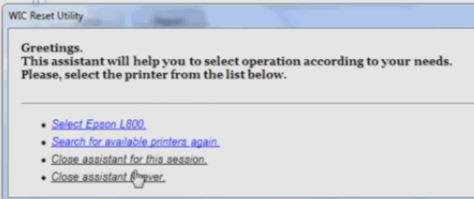
Close
Step 3, click “Read ink levels”, then you will find the percentages of each colors
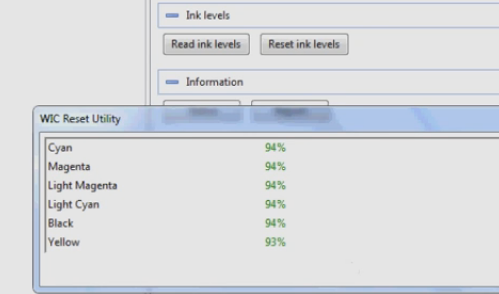
read ink levels
Step 4, click “Reset ink levels”, then you will find all colors return to 100%.
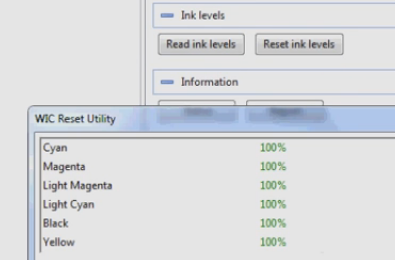
Reset ink levels
Step 5, you will find the Epson Status Monitor shows “Ready” again. That means the printer is good to use now.
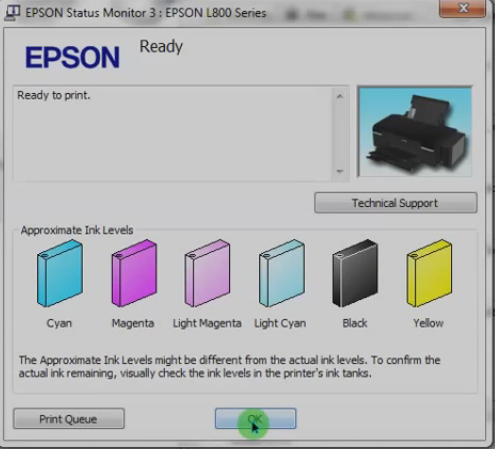
ready
If you still have any doubts about our guidance, you can follow our video steps by steps. Or we can help you to fix this issue by teamviewer. Thank you.
